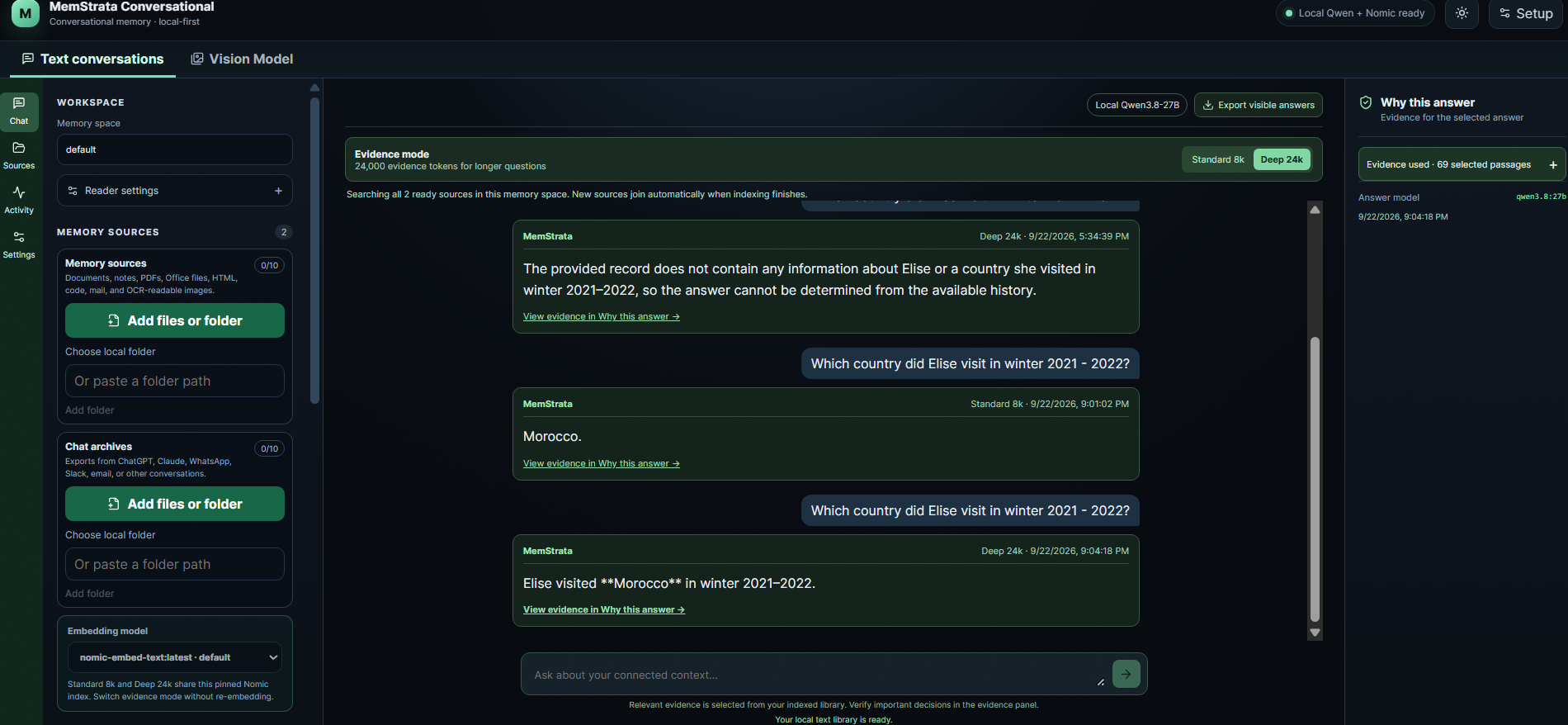
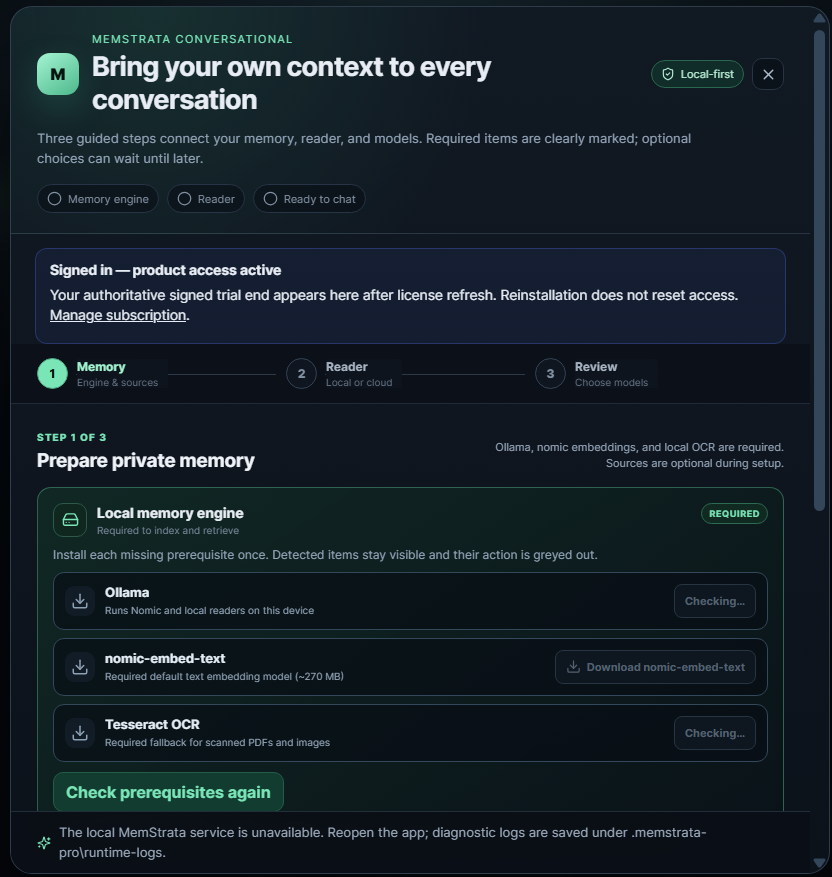
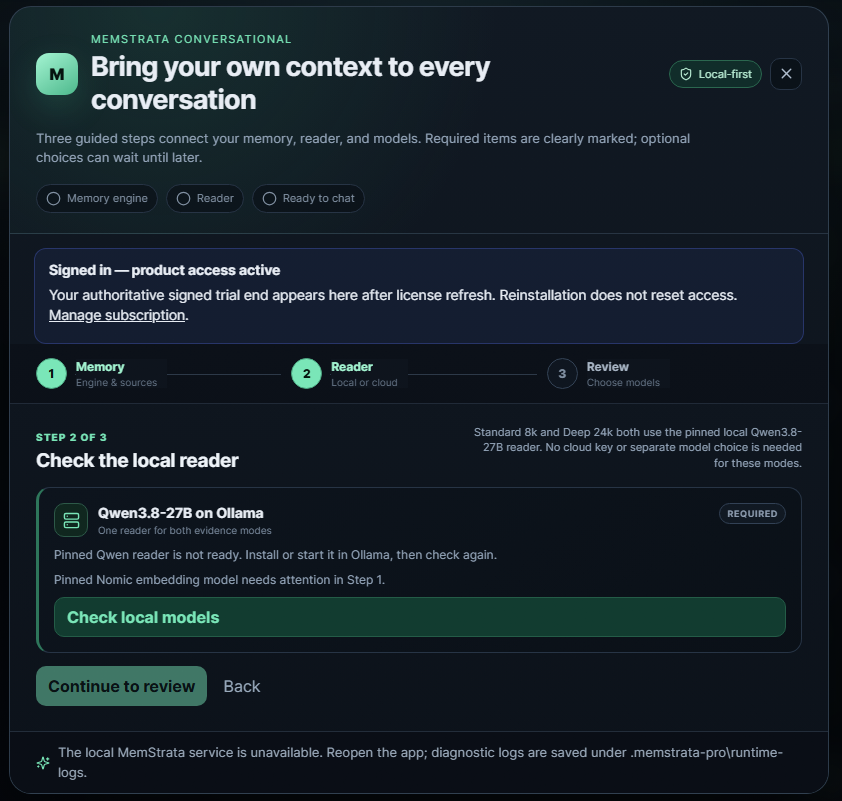
Four products. Local installation. The reader you choose.

Memory for the work you do

Your AI should remember the work.

Keep useful context across conversations, find the source behind an answer, and work with the reader you choose. Start with Conversational, or explore Coder, Structured and Governance.

180 days of full product access after activation. No subscription during the trial. Reinstalling does not restart it. Model-provider charges, if any, are separate. MemStrata-managed email is limited to one message per signed-in user per UTC day. For access after the trial, contact us about the appropriate paid entitlement.

  • Local installation
  • Your configured reader
  • Evidence you can inspect

A decision changed. The record did not disappear.

Illustrative

Ask

When is the project review?

Local workspace Conversational

The useful part of a conversation should not disappear when the window closes.

Work accumulates in chats, notes and records. When a fact changes, the earlier statement should remain inspectable. MemStrata keeps that material close to your machine and lets you open the source behind an answer.

10 Mar Project review is on Tuesday afternoon.

12 Mar Correction: the project review moved to Friday.

Four products

Choose the product that matches the job

Memory, changing records and source inspection are the jobs. Each product below is one of those jobs, with a direct next step.

Conversational

A conversation with your own context

Keep useful memory across chats and documents. Keep useful context across conversations. Bring your own reader.

  • Text and PDF sources
  • Inspectable evidence
Install Conversational Explore Conversational

A decision changed. The record did not disappear.

Illustrative

Ask

When is the project review?

Local workspace Conversational
Illustrative example. Ask tab: the review is on Friday, with a source link to the correction note. Sources tab: original Tuesday note and Friday correction. What changed: the two entries in date order.

Coder

Project context inside your coding tools

Give a coding tool relevant project context. Give your coding tool focused project context.

  • Selected project files
  • Context receipt
Connect your coding tool Explore Coder

One repository question with a context receipt

Illustrative

Where is the routing table defined?

src/router.ts src/config/routes.ts

Context receipt

Selected files sent on this visible user turn.

Local workspace Coder
Placeholder schematic. A repository question, selected files and a context receipt. Capture a native Coder screenshot before treating this as product UI.

Structured

Operational answers with a record behind them

Report on current and historical records. Ask your operational records what is current and what changed.

  • Record identity and time
  • What changed
Try Structured Explore Structured

Two incident records and an owner change

Illustrative

Record

INC-104

Was

Sam Ortiz

Now

Jordan Lee

Who owns incident INC-104 now?

Jordan Lee. Effective 12 March. Witness attached.

Local workspace Structured
Placeholder. Import preview with Record identity, Effective time and selected fields, then an owner change.

Governance

A clearer record of agent activity

Observe connected agents and apply supported controls. Understand what your agents did and test the controls that matter.

  • Connected-host event
  • Policy decision
Connect an agent Explore Governance

One connected-host event

Illustrative

write_file on a connected host

Review

A detected installation is not automatically reporting. The policy decision is recorded with the observed action.

host: local-agent · policy: write-review-v3

Local workspace Governance
Placeholder. Discovery, one observed action and a policy decision.

A closer look at Conversational

Connect a source, ask a question, inspect why the answer was given. Native product screenshots will replace this schematic after a reviewed capture. The workflow is labelled illustrative.

1

Connect a source

Bring chats, notes or documents you already have.

2

Ask a question

Work with the reader you choose.

3

Inspect the source

Open the material behind the answer.

Explore Conversational

A record that can be opened

A source you can inspect changes the conversation

Open the original material and see what supports the result. A cited source makes the answer easier to check. This example is labelled illustrative. It is not live inference and not a measured correctness guarantee.

A decision changed. The record did not disappear.

Illustrative

When is the project review?

Answer

Friday.

Source: correction note, 12 March

Illustrative walkthrough. A project review was first recorded as Tuesday, then corrected to Friday. The Ask view shows Friday with a source link. The Sources view shows both notes. What changed lists them in order.

A research record you can examine

The published temporal-validity studies investigate obsolete facts and changing software histories. The conversational research evaluates selected context with local and hosted readers. Each result belongs to its stated task, model and protocol.

Paper 1 · Published preprint

Temporal Validity in Retrieval Memory: Eliminating Stale-Fact Errors for AI Agents over Evolving Knowledge

2606.26511

Paper 2 · Published preprint

Temporal Validity on Real Software Histories: Eliminating Stale-Fact Errors in Code-Assistant Memory over GitHub Fixes

2608.20685
Methods, counts and publication status

Your source material stays close to your work

The primary indexes and source processing run on your device. Account services and selected bounded policy decisions use MemStrata services. A cloud reader or destination receives the content needed for the connection you choose. Credentials are stored in the operating-system credential vault. Customer content is not used for training unless the customer separately opts in.

On your device

Primary indexes, source processing and local evidence. Files you import stay in the product environment you install.

Named service calls

Account activation, a configured cloud reader, and applicable remote policy services. These do not disappear behind an absolute offline slogan.

Open the outbound-data table

Install

Choose an install path

Full product access for 180 days after activation. No subscription during the trial.

Detected choices are a suggestion only. A browser cannot reliably know your macOS version or whether Python is installed. Python 3.10 or newer is required. On Windows, if Python is missing, install it from python.org/downloads/windows and open a new terminal. Microsoft Store Python redirects LocalAppData writes. The Windows command follows the real environment path after venv so pip is not pointed at an empty folder.

Architecture

x64

Shell

PowerShell

MemStrata Conversational 0.7.12 · Windows x64 · Python >=3.10

Windows 10 or newer, x64. Next step after install: memstrata-conversational.cmd init

PowerShell

$venv = "$env:LOCALAPPDATA\MemStrata\venvs\conversational"
py -3 -m venv "$venv"
if ($LASTEXITCODE -ne 0) { throw 'Could not create the environment.' }
$python = "$venv\Scripts\python.exe"
if (-not (Test-Path -LiteralPath $python)) {
  $python = (py -3 -c "import os, sys; print(os.path.realpath(sys.argv[1]))" $python).Trim()
}
if (-not (Test-Path -LiteralPath $python)) { throw 'Could not create the environment.' }
$scripts = Split-Path -Parent $python
& $python -m pip install --upgrade pip
if ($LASTEXITCODE -ne 0) { throw 'Could not update pip.' }
$wheel = 'https://files.pythonhosted.org/packages/5a/02/3474fa9b4313e9508c3b38522b058c1797231bade7a67838a2bf1708bbc5/memstrata_conversational-0.7.12-py3-none-win_amd64.whl'
& $python -m pip install --only-binary=:all: "$wheel"
if ($LASTEXITCODE -ne 0) { throw 'Installation did not finish.' }
$actualVersion = (& "$scripts\memstrata-conversational.cmd" --pypi-package-version | Out-String).Trim()
if ($LASTEXITCODE -ne 0 -or $actualVersion -ne '0.7.12') { throw 'The installed version does not match the advertised release.' }
Write-Output "Installed version: $actualVersion"
& "$scripts\memstrata-conversational.cmd" init

memstrata_conversational-0.7.12-py3-none-win_amd64.whl · sha256 e6973e290b7b82d1e4391716b181a7148fd9b43229802413e73acac27111b874

Microsoft Store is a separate listing, not this wheel command. View Conversational in Microsoft Store

180 days of full product access after activation. No subscription during the trial. Reinstalling does not restart it. Model-provider charges, if any, are separate. MemStrata-managed email is limited to one message per signed-in user per UTC day. For access after the trial, contact us about the appropriate paid entitlement. Trial terms

Start with one source and one useful question

Choose the product that matches your work. The setup guide takes you from installation to a first result you can check.